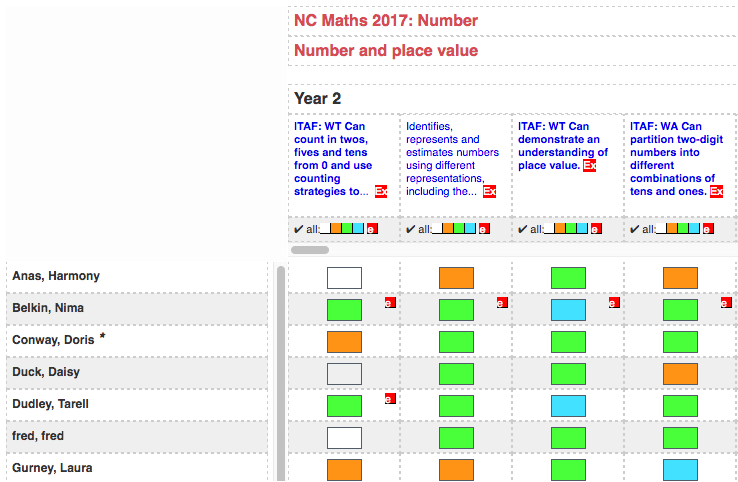
Multi-tick
Multi-ticks are how formative assessments are recorded in Pupil Asset.
Go to the tab by clicking Results > Multi-ticks. For full notes on using Multi-ticks, see Pupil Asset: Entering Multi Ticks (Formative Assessment).
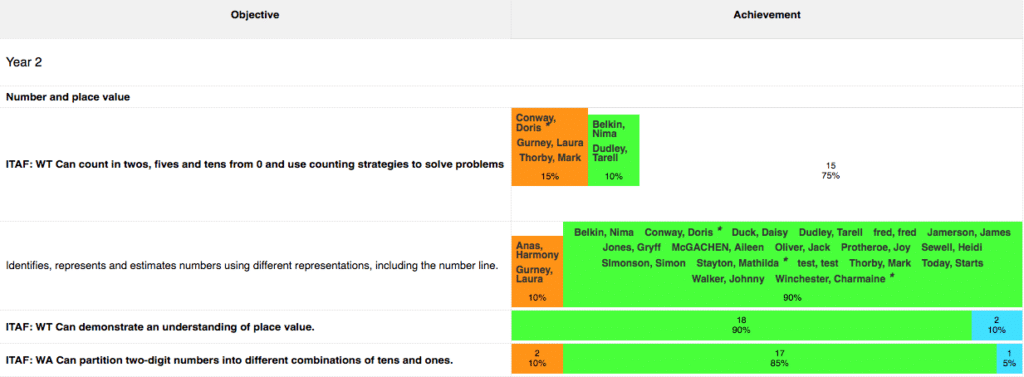
Achievement Summary
Pupil Asset’s Achievement Summary gives you a complete overview of a class or cohort’s attainments in terms of both curriculum coverage and depth of learning. For full notes on using the Achievement Summary, see Pupil Asset: How to view class/cohort achievements.
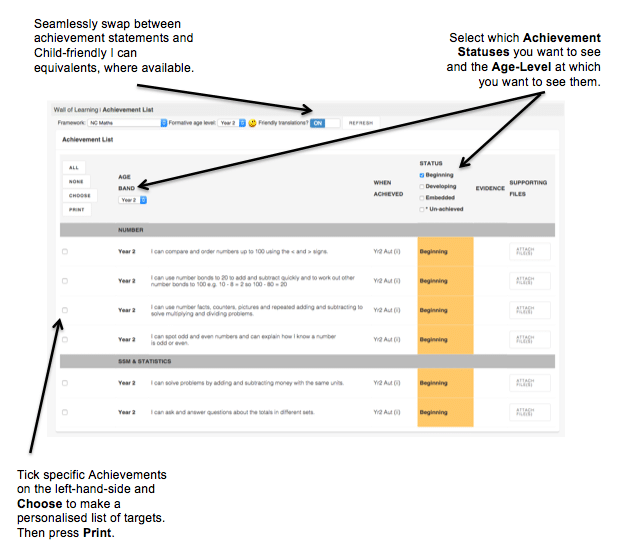
Achievement List
Quickly filter next-step targets for a vulnerable learner or identify strengths to share at parents’ evenings or during an Annual Review, for example. For full notes on using the Achievement List, see Pupil Asset: How to view individual pupil achievements (formative assessment).
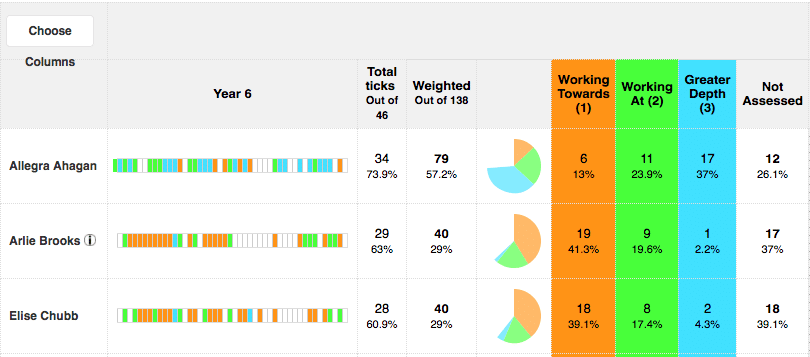
Formative Analysis (DNA Ticks)
To show attainment coverage and depth of learning, Pupil Asset creates an overview of achievements using a ‘DNA strip’. This shows each learner’s assessment at the age-level or levels selected. These assessments are also summarised statistically, firstly as a Total and then sub-divided by the assessment terminology you use. For more information on using DNA Ticks for formative analysis, see Pupil Asset: Using DNA ticks (formative assessment).
Updated