Under Multi Tick or DNA Ticks click on a learner’s name. This will take you to a personalised breakdown of the selected learner’s achievements.
Wall of Learning
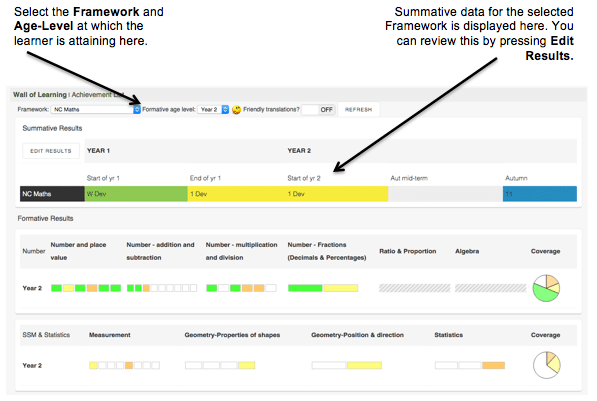
Each box represents a skill and is coloured to reflect the most recent assessment for the learner. Boxes are organised by Area so practitioners can quickly identify strengths and areas in need of development.
Assessment at a granular level
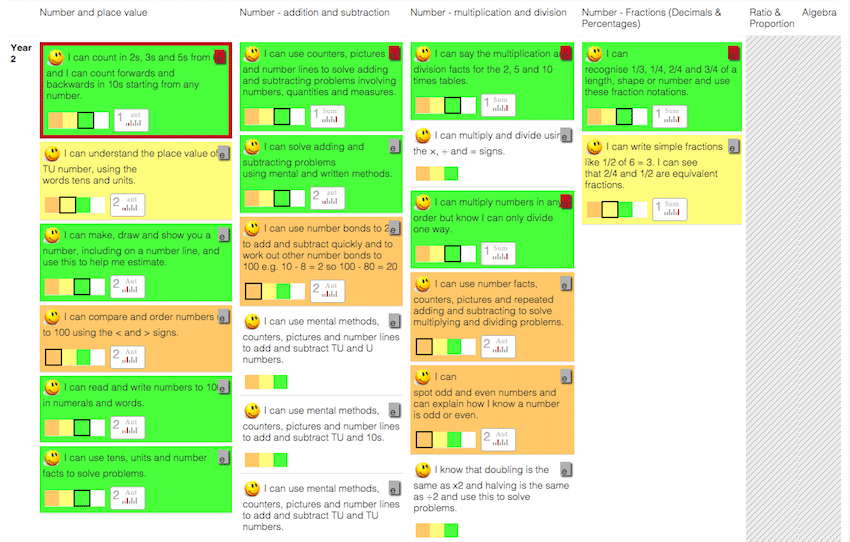
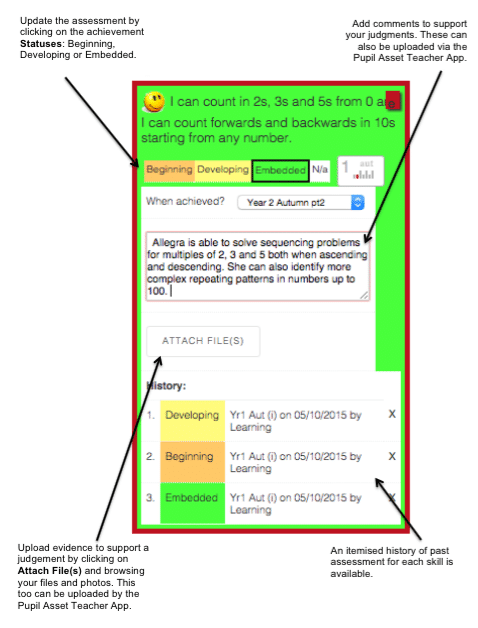
From the Wall of Learning, click on a particular Area of the curriculum. This will take you to an APP-style breakdown of the learner’s assessment.
Achievement List
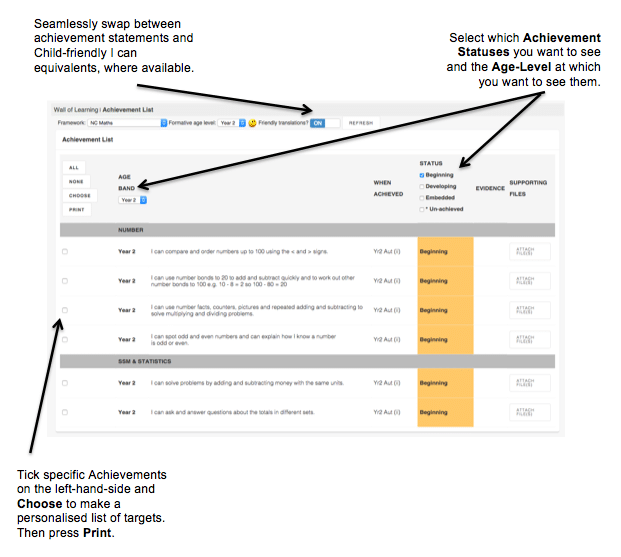
Filter next-step targets for a vulnerable learner or identify strengths to share at parents’ evenings or during an Annual Review, for example.
Updated