NB: This should only be performed by a confident and advanced user as any edits performed using this function cannot be reversed. If you are unsure, please contact our Support Team through the usual channels to avoid losing or over-writing results.
The Results Shifter allows you to copy or move results from one column to another.
Navigate to Admin > Advanced > Results > Results Shifter and select the relevant year group / class in the Filter.
Results are stored by column and subject, so simply choose your source subject/column and then a destination subject/column for those results to be either copied or moved to.
Please note that there are two options - copy and move. Copy will keep the existing 'From' result in place, move will move them.
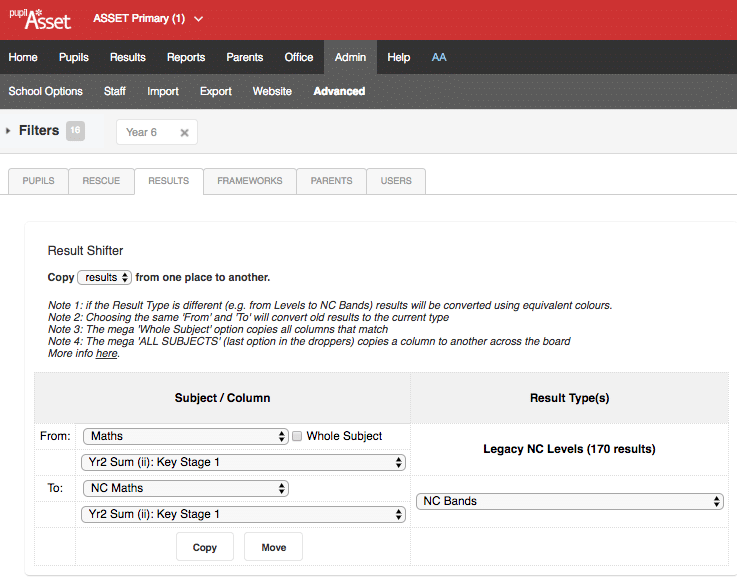
Once complete, a pop-up will tell you that results have been copied over.
NB: If the To column uses a different level type (for example, it uses a PITA result type where your From column uses an age related level approach) the system will automatically convert those results, based on attainment colour (so a Green age bands becomes an equivalently Green PITA).
Updated