Overview
This article explains how to set up your browser to ensure that background colours are shown when printing a report from Sisra Analytics. Guidance is provided for Google Chrome, Mozilla Firefox, Opera, Safari and Microsoft Edge.
The instructions are for the most commonly supported browsers and operating systems. If your configuration looks slightly different or is not listed, the nearest equivalent should be similar enough to use as a guide.
If you are using Microsoft Edge, make sure it is the latest version.
Instructions
Select your browser for instructions about how to print in colour including background:
-
To print background colours in reports using Google Chrome:
- Select the ellipsis in the top right-hand corner.
- Select Print...
- From the Print View, select More Settings:
- Scroll down and check Background graphics:
- Select Print.
-
To print background colours in reports using Mozilla Firefox:
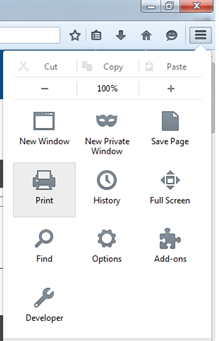
- Select the icon in the top right-hand corner.
- Select Print:
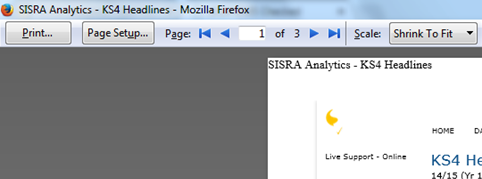
- Select Page Setup at the top of the page:
- Check Print Background (colours & images):
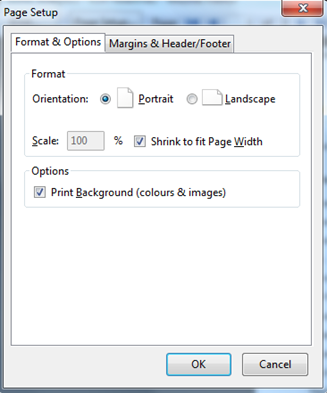
- Select OK.
-
To print background colours in reports using Opera:
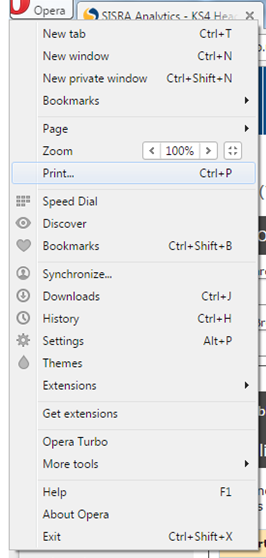
- Select the Opera icon in the top left-hand corner.
- Select Print...
- Select More Options:
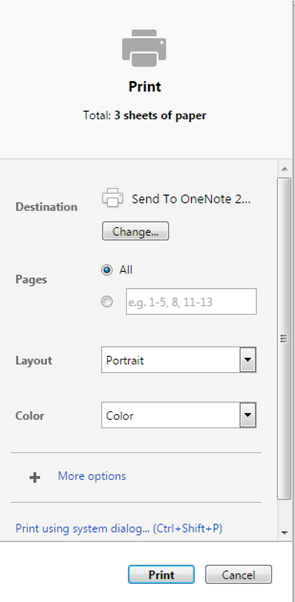
- Scroll down and check Background Graphics:
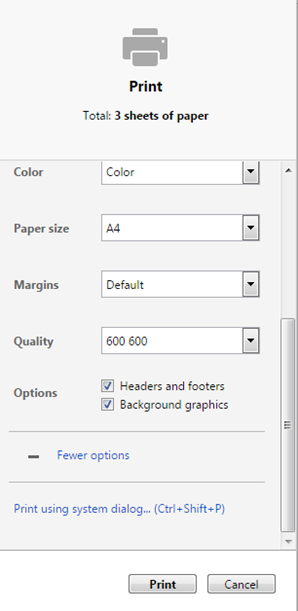
- Select Print.
-
To print background colours in reports using Safari:
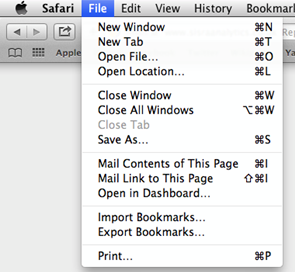
- Select File.
- Select Print...
- Select Show Details:
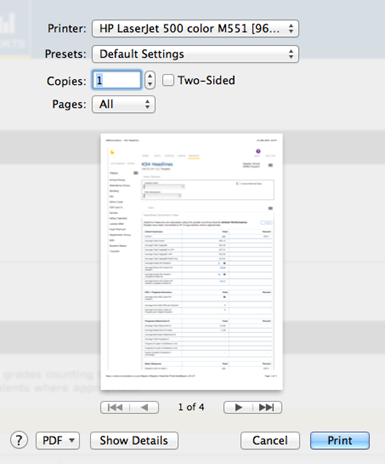
- Check Print backgrounds:
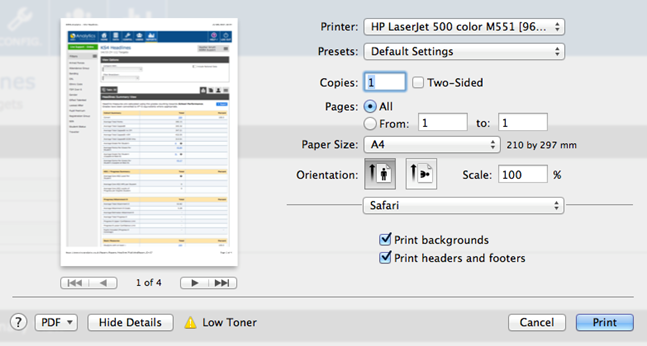
- Select Print.
-
To print background colours in reports using the latest version of Microsoft Edge:
- Select the ellipsis in the top right-hand corner to open the menu:
- Select Print to open the print preview window.
- Select More Settings:
- Scroll through the settings, and check Background Graphics:
- Select Print.
- Select the ellipsis in the top right-hand corner to open the menu:
Outcome
Your reports from your browser should print in colour as expected.
If you still can't print the background or colours after following the instructions in this article, speak to your IT department or try a different browser.
Updated